Control iTunes without leaving your current app. From play/pause to switching playlist or searching your iTunes library, SizzlingKeys lets you do all that and much more.
Control iTunes.
Whether it's to pause the player, adjust the volume,
skip a track or rate a song, you can do all that and
more with simple customizable keystrokes.
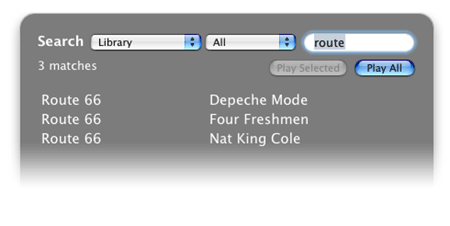
That's not all. You can even search your iTunes Library
or Playlists with a simple keystroke, all without switching to
iTunes!
 See what's playing.
Why bring up iTunes just to see what's playing?
SizzlingKeys features a floating window that shows you
the current track info.
Place it anywhere you wish on the screen by simply
dragging it.
See what's playing.
Why bring up iTunes just to see what's playing?
SizzlingKeys features a floating window that shows you
the current track info.
Place it anywhere you wish on the screen by simply
dragging it.
Easy setup. Having all the features you can imagine is useless if the app is difficult and confusing to use. That's why we make ease-of-use our top priority. Customizing SizzlingKeys cannot be easier.
Extras. SizzlingKeys is more than an iTunes controller. We figure since you are going to have a hot key app running in the background anyway, why not let it handle a few more functions? SizzlingKeys lets you optionally define hot keys for system functions like Sleep and Fast User Switching.
 SizzlingKeys is now available on the Mac App Store.
Get SizzlingKeys today for just $1.99!
Offer available on the App Store only.
